
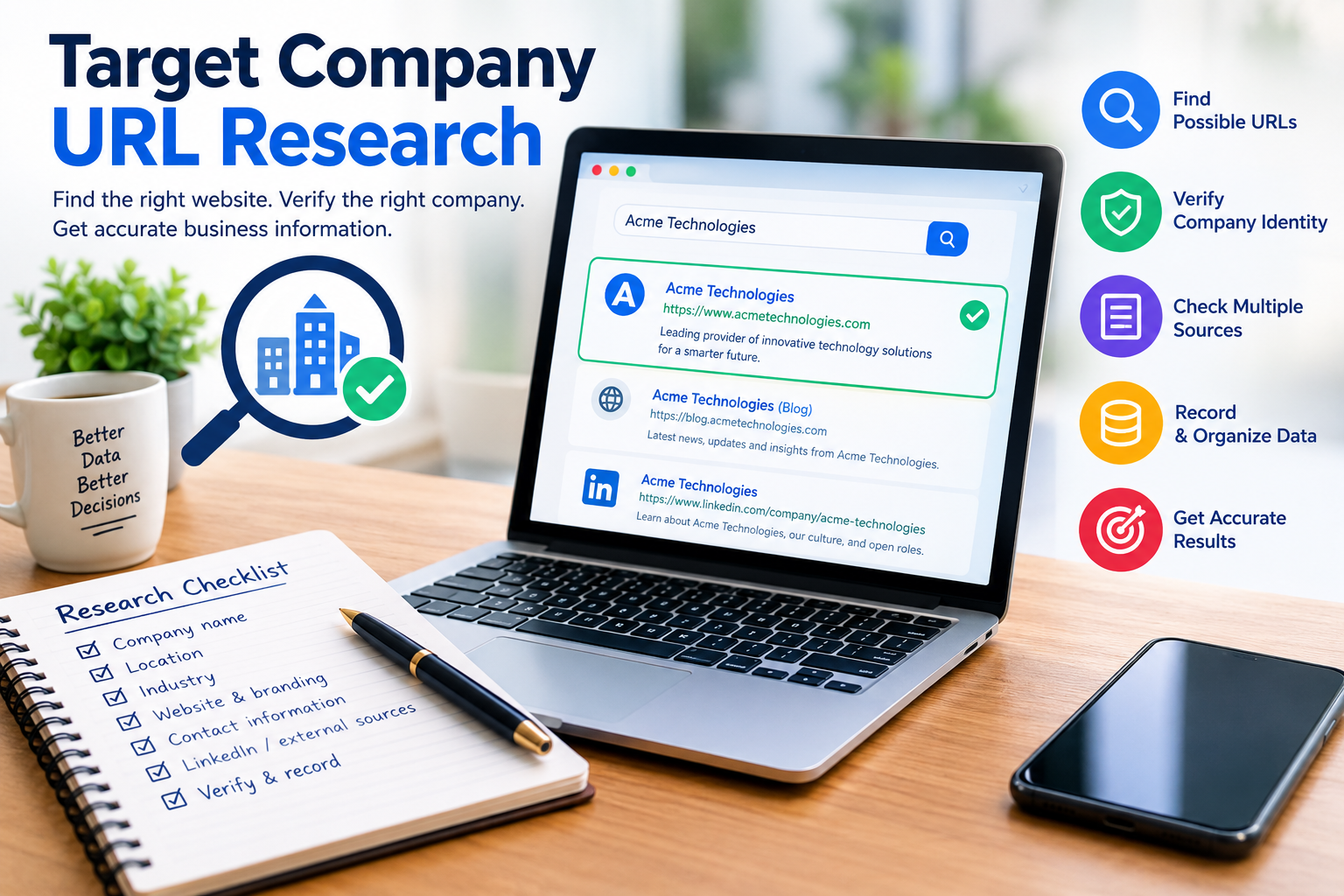
Target Company URL Research: A Complete Guide to Finding and Verifying Company Websites
Finding the correct website for a company may look like a simple online search. In real business research, it can become much more difficult. A company name may belong to several businesses, a brand may use a different legal name, or an old website may still appear in search results. This is why target company URL research has become an important step in sales, marketing, recruiting, SEO, market research, and business data management.
Target company URL research means finding the official website of a specific company and checking that the website actually belongs to the business you want to study. The goal is not simply to find a website with a similar name. The goal is to connect the correct company identity with the correct domain.
This guide explains how the process works, why it matters, what information you should check, which mistakes to avoid, and how you can create a reliable research workflow.
What Is Target Company URL Research?
Target company URL research is the process of finding, checking, and recording the official website URL of a company.
A target company can be a business that you want to contact, study, compare, recruit from, sell to, or add to a business database. The term does not necessarily refer to Target Corporation. Instead, “target company” normally means the particular organization that is the subject of your research.
For example, imagine you have a spreadsheet containing these names:
- Green Valley Solutions
- Apex Technology
- Global Health Services
- Prime Logistics
- Blue Star Consulting
Your spreadsheet may contain only company names. Before researching their products, employees, services, locations, or market position, you need to identify their correct websites.
That is where URL research begins.
A good researcher does not immediately copy the first Google result. Instead, the researcher checks whether the company name, location, industry, branding, contact information, and other identity signals match the intended business.
Why Target Company URL Research Matters
A website is often the starting point for deeper company research. If the website is wrong, the information collected afterward can also be wrong.
This can create problems in several areas:
- Sales teams may research the wrong prospect.
- Recruiters may investigate the wrong employer.
- Marketers may add an incorrect domain to a CRM.
- SEO researchers may analyze the wrong competitor.
- Analysts may combine information from unrelated companies.
- Procurement teams may contact the wrong supplier.
- Researchers may use incorrect company information in a report.
The problem becomes larger when working with hundreds or thousands of companies. A single wrong match can easily become part of a larger database and then appear in multiple systems.
Reliable URL research therefore requires two separate actions: finding a possible domain and verifying that domain. These should not be treated as the same thing.
Target Company URL Research vs. Target Corporation
The phrase “target company” can sometimes create confusion.
In most business research contexts, a target company means the organization you are researching. It can be a potential customer, supplier, employer, competitor, partner, or another business.
It does not automatically mean Target Corporation, the American retail company.
This distinction is important because the search intent is different. If you are researching Target Corporation, you need information specifically related to that company. If you are researching a list of target companies, your task is to identify the correct website for each organization.
Keeping this difference clear can also improve search accuracy.
The Basic Process of Target Company URL Research
A reliable process can be divided into several simple stages.
1. Start With the Company Name
Begin with the exact company name available in your source.
Do not remove important information too early. If your data contains a city, country, industry, or legal name, keep it available.
For example:
Apex Solutions Ltd — Manchester — Software
is more useful than simply:
Apex Solutions
The additional information can help you distinguish between businesses with similar names.
2. Search for Possible Websites
Search the company name and add useful identifiers.
You can search combinations such as:
- Company name + city
- Company name + country
- Company name + industry
- Company name + official website
- Company name + LinkedIn
- Company name + company registration
The purpose of this stage is to create possible candidates. It is not the final verification stage.
3. Compare the Website With the Company
Once you find a possible domain, inspect the website.
Look for:
- Company name
- Logo and branding
- Business description
- Products or services
- Physical location
- Contact information
- About page
- Legal information
- Careers page
- Privacy policy
- Terms and conditions
The information should make sense for the company you intended to research.
4. Check Independent Sources
A company website is useful, but important identity claims should not always depend on the website alone. External sources can help confirm the relationship between a business and its domain.
Useful supporting sources may include:
- LinkedIn company pages
- Government business registries
- Professional directories
- LEI records
- Industry databases
- Trusted news websites
- Official social media profiles
- Regulatory records
The more important the research, the more valuable independent verification becomes.
Important Signals to Check
Different signals can help you determine whether a domain belongs to the correct company.
| Signal | What to Check | Why It Matters |
| Company name | Exact or related business name | Confirms identity |
| Location | City, country, office | Separates similar companies |
| Industry | Products and services | Confirms business type |
| Contact details | Email, phone, address | Provides another identity signal |
| Branding | Logo and company style | Helps confirm brand identity |
| Listed company website | Independent supporting evidence | |
| Legal pages | Legal entity information | Can connect brand and company |
| Domain | Main website address | Identifies the online property |
| Careers page | Employer information | Useful for recruitment research |
| External records | Registries and databases | Adds independent evidence |
No single signal should automatically be treated as perfect proof. A strong match usually comes from several consistent signals.
Common Problems During URL Research
Similar Company Names
This is one of the biggest problems.
Imagine three companies named “Summit Solutions.” One may operate in London, another in Toronto, and another in Texas.
If you search only the name, you could easily select the wrong website.
Adding location and industry information can narrow the results.
Legal Name and Brand Name Differences
A company may operate publicly under a brand name while its legal entity has a different name.
For example, the website might display a short brand name while its terms, privacy policy, or registration information shows a longer corporate name.
This does not automatically mean the website is wrong. It means you should investigate the relationship between the brand and legal entity.
Old Domains
Companies can change their names, merge with other organizations, or move to new domains.
An old domain may still appear in search results even after the business has changed its website.
Check whether the old website redirects to the current domain and whether recent company information supports the connection.
Subsidiaries and Parent Companies
A large organization may have several brands and subsidiaries.
One subsidiary may have its own website, while another may use the parent company’s domain.
Do not assume that every company record in your database should receive the same domain. Research the relationship first.
How to Verify a Company URL Properly
Verification is the most important part of target company URL research.
A useful verification workflow looks like this:
- Record the company name.
- Add location and industry information if available.
- Find several possible domains.
- Open the potential official website.
- Compare company names and branding.
- Check the About and Contact pages.
- Check LinkedIn or another independent business profile.
- Check legal or registration information when necessary.
- Confirm that the domain is active and relevant.
- Record the evidence and research status.
For simple research, this process can take only a few minutes. For important business databases, stronger verification is worthwhile.
Using Automation for Target Company URL Research
Automation can save considerable time when working with large company lists.
Some URL research tools allow users to paste company names and receive possible domains. Certain tools also provide match scores or alternative candidates. These results can help with initial discovery, but a match score should not automatically be considered proof of ownership.
A practical automated workflow can look like this:
Company list → Name cleaning → Domain candidates → Match review → Manual verification → CSV export → CRM
Automation is especially useful when a spreadsheet contains hundreds of records.
However, unusual names and low-confidence matches should receive manual review.
How to Organize Your Research Data
Good documentation makes your research easier to audit later.
A simple spreadsheet can contain these columns:
| Company Name | Location | Industry | Possible URL | Verified URL | Status | Evidence |
| Example Company | London | Software | example.com | example.com | Confirmed | Website + LinkedIn |
| Sample Group | Toronto | Consulting | samplegroup.ca | samplegroup.ca | Review | Name match |
| Demo Services | Dubai | Logistics | demoservices.ae | — | Unresolved | Multiple candidates |
You can use statuses such as:
- Confirmed
- Probable
- Needs Review
- Unresolved
- Not Found
This system is better than forcing every company into a “verified” category.
Target Company URL Research for Sales Teams
Sales teams often begin with a target account list. The list may contain company names but incomplete website information.
Correct URLs help sales researchers understand the business before outreach.
After confirming a domain, researchers can examine:
- Products
- Services
- Customer segments
- Locations
- Industries served
- Company news
- Careers
- Partnerships
- Technology pages
- Contact information
This can create a more complete account research record.
The website can also provide clues about how a company describes its products and customers. That information can then be combined with independent sources for a broader understanding of the organization.
Target Company URL Research for SEO
SEO professionals can also benefit from accurate company URLs.
Competitor research often starts with identifying the correct websites. Once the domain is confirmed, an SEO researcher can examine:
- Website structure
- Main service pages
- Blog content
- Search-focused landing pages
- Internal linking
- Content topics
- Brand positioning
- Technical elements
- Backlink profiles
A wrong domain can produce completely misleading results.
For example, if two companies share similar names, studying the wrong website could cause you to build an SEO strategy around a business that is not actually your competitor.
Target Company URL Research for Recruiting
Recruiters and job seekers may also need accurate company URLs.
A company website can provide information about:
- Careers
- Open roles
- Company culture
- Benefits
- Leadership
- Locations
- Products
- Company history
However, recruiters should still confirm the identity of the employer through additional sources when company names are similar.
A correct website gives the researcher a reliable starting point.
Target Company URL Research for Market Research
Market researchers often work with long lists of organizations.
The first step may be to turn a company-name dataset into a clean company-domain dataset.
Once the domains are verified, researchers can collect additional information and organize companies by:
- Industry
- Country
- Business model
- Company size
- Products
- Geographic presence
- Parent organization
- Market segment
This creates a stronger foundation for later analysis.
Mistakes to Avoid
Several simple mistakes can reduce the quality of your research.
Do Not Choose Only the First Search Result
The first result may be a directory, social profile, news article, or unrelated company.
Always check the actual website.
Do Not Trust the Company Name Alone
A name is not always unique.
Use location, industry, products, and other information to confirm the identity.
Do Not Treat a Similar Domain as Official
A domain that looks almost identical may belong to another organization.
Check the website content and external evidence.
Do Not Ignore Old Websites
An old domain can remain online after a company changes its name or website.
Check redirects and current information.
Do Not Force Unclear Matches
If the evidence does not agree, mark the record as Needs Review.
This is better than adding a wrong URL to a database.
A Practical Research Checklist
Before marking a company URL as verified, check the following:
- Company name matches.
- Business location makes sense.
- Industry matches.
- Website describes the expected business.
- Contact information is consistent.
- Branding appears consistent.
- Independent company profiles support the match.
- Legal information does not create a contradiction.
- Domain is active.
- Any parent or subsidiary relationship is understood.
- Old-domain or rebrand issues have been checked.
- Research evidence has been recorded.
This checklist can make URL research much more consistent.
How to Improve Accuracy at Scale
When researching hundreds or thousands of companies, consistency becomes more important than speed alone.
Start by cleaning the company list. Remove unnecessary duplicates and standardize obvious legal suffixes such as Inc., Ltd., LLC, PLC, and GmbH where appropriate. Some company URL tools use similar cleaning methods to improve matching.
Then separate automatic discovery from human verification.
A useful system is:
Stage 1: Automated candidate discovery
Stage 2: Match scoring
Stage 3: High-confidence review
Stage 4: Manual review of ambiguous records
Stage 5: Final verification
Stage 6: Database export
This approach allows researchers to process large datasets without pretending that every automated match is correct.
Final Thoughts on Target Company URL Research
Target company URL research is more than finding a website through a search engine. It is a process of connecting the correct company identity with the correct online domain.
The basic idea is simple. Start with the company name, find possible websites, compare important identity signals, verify the strongest candidate, and document the result.
The process becomes especially important when company names are common, businesses operate across several countries, brands use different legal entities, or large databases are involved.
A good research workflow should always separate possible URL from verified URL. That small distinction can prevent many downstream errors in sales, recruiting, SEO, marketing, market research, and business databases.
When the identity is unclear, do not guess. Mark the company for review and collect more evidence. A slower verified result is much more useful than a fast incorrect domain.
Frequently Asked Questions
1. What does target company URL research mean?
Target company URL research means finding and verifying the official website of a specific company. The word “target” normally refers to the business being researched, rather than a specific retailer or brand. A researcher may have a company name in a spreadsheet, CRM, recruiting database, or market research document and need to identify its correct domain. The process involves more than searching the name and copying the first result. Researchers should compare the company name, location, industry, branding, contact information, and other evidence. Independent sources such as professional profiles, business registries, and trusted databases can provide additional confirmation. The final goal is to create a reliable connection between the intended company and its website. This makes later research more accurate and reduces the risk of studying or contacting an unrelated business with a similar name.
2. Why is verifying a company URL important?
Verifying a company URL is important because company names are not always unique. Two or more businesses can have identical or similar names while operating in different countries or industries. A researcher who chooses the wrong website may collect incorrect information about products, employees, locations, services, or company history. That incorrect information can then enter a CRM, sales database, research report, recruiting system, or SEO project. Verification reduces this risk by checking multiple identity signals before the URL becomes part of the final dataset. Useful signals include the company name, location, industry, contact information, branding, LinkedIn profile, legal pages, and business registration records. The level of verification should depend on the importance of the research. A simple search may be enough for casual research, while business databases and important reports should use stronger evidence.
3. How can I find a company’s official website?
Start by searching the exact company name. If the name is common, add the company’s location, industry, product, or country. Review the search results and identify possible official domains. Then open the candidate websites and compare their information with the company record you already have. Look for matching names, locations, services, phone numbers, email addresses, logos, and business descriptions. You can also check the company’s LinkedIn profile, business registry, professional directory, or other independent source. If several websites appear to represent different companies with the same name, do not select one based only on search ranking. Record the candidates and investigate the identity of each business. The correct website should have several consistent signals connecting it to the company you intended to research.
4. Can automated tools find company URLs?
Yes. Automated company URL research tools can help turn a list of company names into possible website domains. Some tools clean company names, search a company database, provide candidate domains, display match scores, and allow results to be exported. This can save significant time when working with large spreadsheets. However, automated results should not always be treated as final verification. A company with a common name may have several possible matches. A database can also contain outdated information or an incorrect association. For this reason, automated research works best as a discovery and prioritization step. High-confidence results can move through the workflow quickly, while unusual or low-confidence matches can receive manual review. This combination provides both efficiency and better data quality.
5. What should I do when two companies have the same name?
When two companies have the same name, add more identifying information to your research. Location is often useful because different businesses with identical names may operate in different cities or countries. Industry and products can provide another important distinction. Compare the candidate websites and check their About, Contact, and legal pages. You can also compare company profiles on professional networks and official business records. If one company is a software provider in London and another is a construction business in Texas, the industry and location can quickly separate them. Do not force a match when the evidence is unclear. Instead, mark the record as “Needs Review” or “Unresolved” and collect more information before adding the URL to your final database.
6. Should I store the full URL or just the domain?
It depends on your purpose. For company databases, CRM records, and general business research, the main company domain is often the most useful field. For example, a company may have different pages such as /about, /contact, or /careers, but those pages all belong to the same main domain. Keeping the primary domain makes records easier to organize and compare. However, researchers should preserve specific URLs when a particular page is important to the research, such as an investor-relations page, official careers page, or legal document. It is also useful to distinguish the main corporate domain from regional websites, subsidiaries, and separate brand domains. Your database can therefore have one field for the verified company domain and additional fields for important specific URLs.
7. How can I keep my target company URL research accurate?
Create a consistent verification process and use the same standards for every company. Start with a clean company name and add location or industry information whenever available. Find possible domains, then compare the website against the company record. Check at least several identity signals before marking the URL as confirmed. Record the source or evidence used for verification so another researcher can understand why the match was selected. Use statuses such as Confirmed, Probable, Needs Review, and Unresolved rather than treating every result as certain. Review unusual names, subsidiaries, mergers, rebrands, and old domains carefully. For large datasets, automation can handle initial discovery while humans review ambiguous records. This creates a repeatable system that improves both research speed and data quality.